
01 Purpose
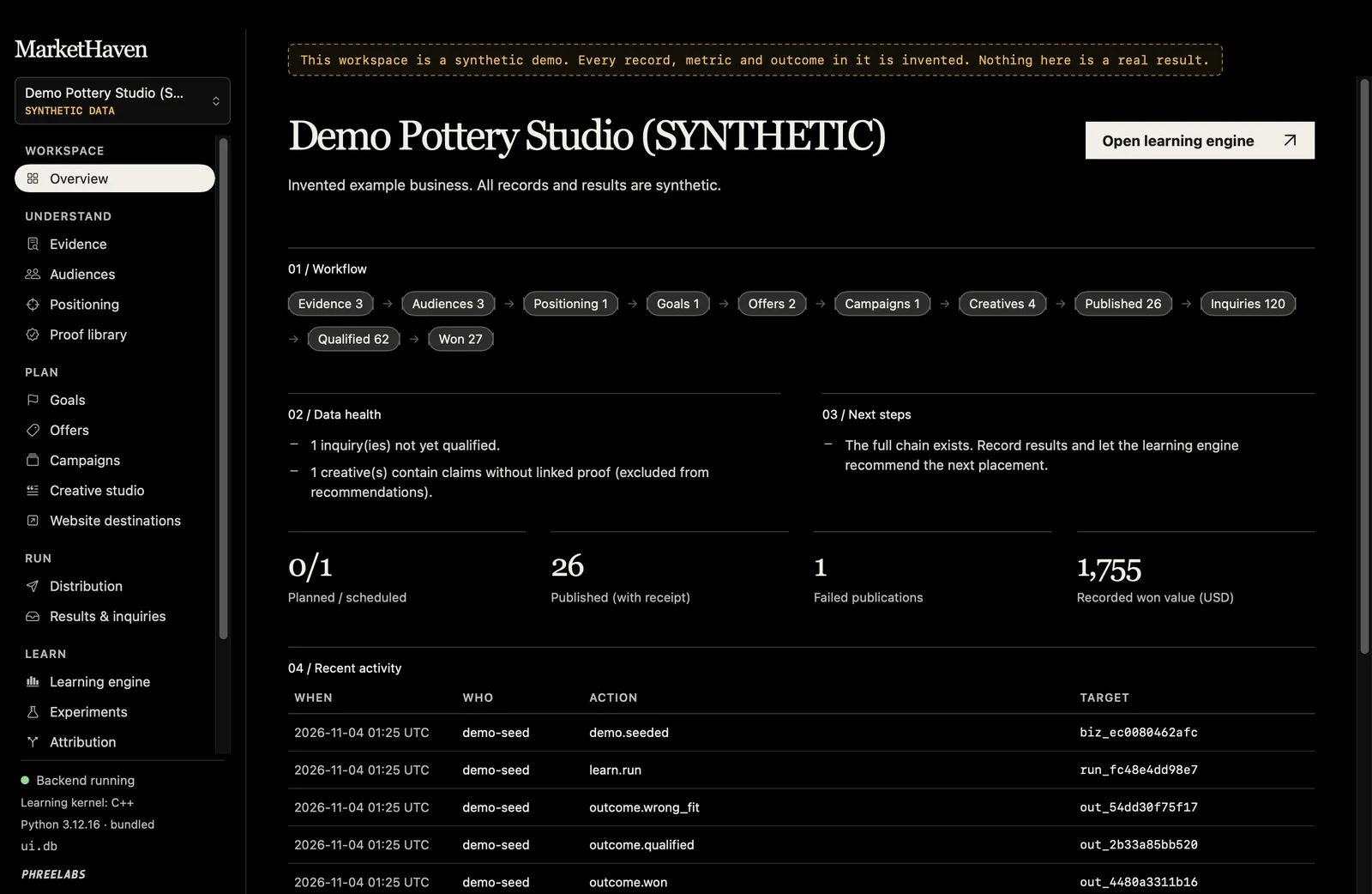
MarketHaven keeps a business’s marketing in one connected record: evidence, audiences, positioning, proof, goals, offers, campaigns, creative, distribution, and website outcomes.
Intended user: a small business doing its own marketing, one workspace per business.
02 Problem and Constraints
Marketing choices are often made from scattered notes, platform dashboards, and guesses, and it is hard to tell which post led to which inquiry.
- Every recommendation shows its uncertainty, not just a single winner.
- Claims in creative must link to proof; creative with unproven claims is left out of recommendations.
- Results link to a placement only through first-party campaign parameters. Nothing is joined across devices or platforms.
- Live Actions are off by default. Publishing and email require your approval of the exact job plus Live enabled for the business and connection. Ads are created paused; activation needs a separate spend approval within the cap.
03 What Was Built
- One workspace linking evidence, audiences, positioning, proof, goals, offers, campaign briefs, versioned creative, and website destinations.
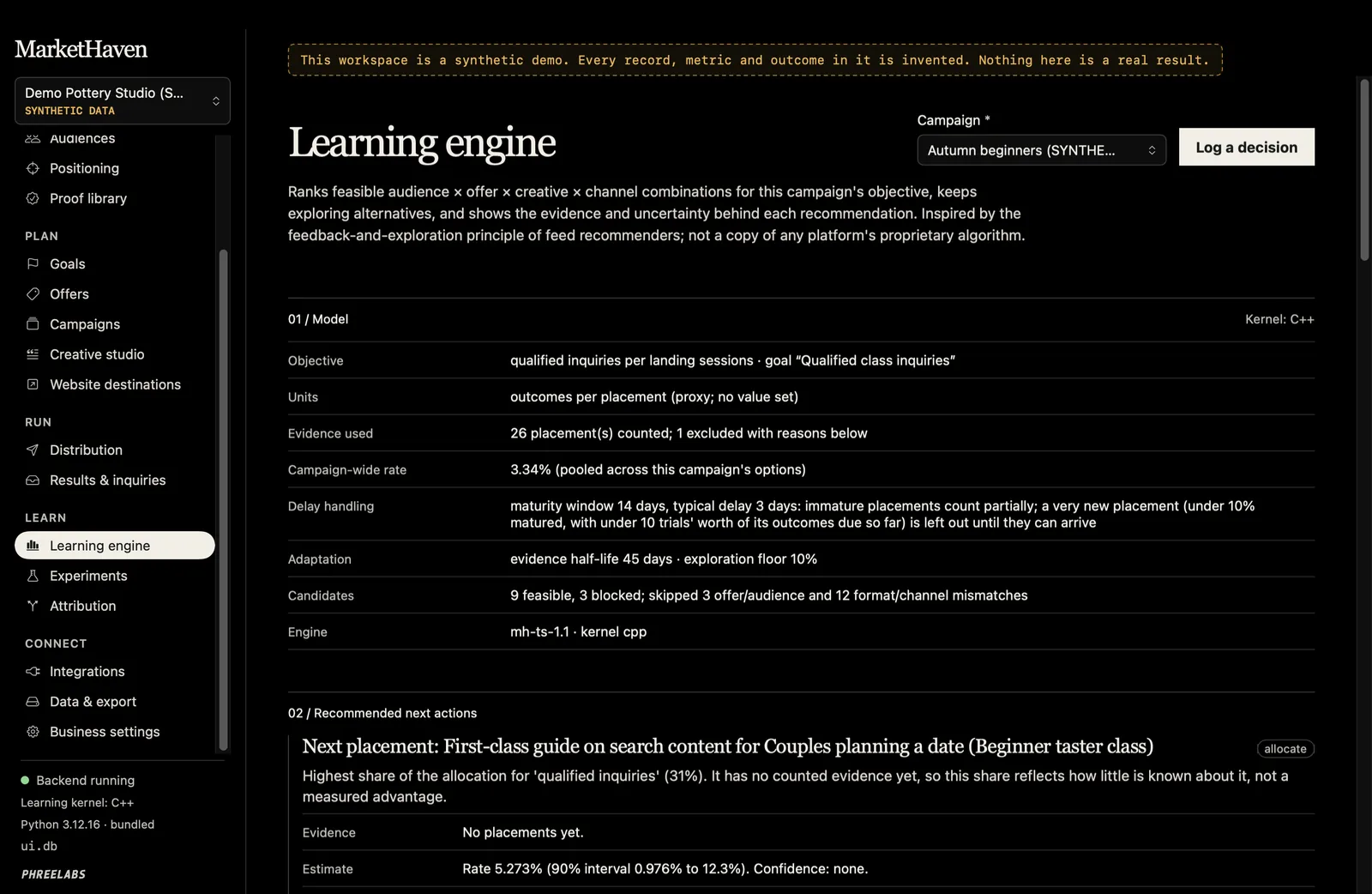
- A learning engine that uses Thompson sampling to recommend the next placement, with its uncertainty and a calibration check.
- A content studio for briefs, draft concepts, channel variants, revisions, and claim review, with offline templates and optional drafting providers.
- An asset library with approved files, alt text, and cards or videos rendered on the Mac.
- A locally run publish queue with approval tied to the exact content, schedules, receipts, and checks for uncertain results. The Mac queue runs while the app is open; supported native schedules can be handed to the platform. A manual kit lets you publish yourself and record the live URL.
- Implemented provider adapters for social posts, consent-only email, analytics, inquiries, and paused ads, tested against controlled local fixtures.
- Website events through a site key and a tracking snippet that carries placement IDs, with optional consent gating. Local testing is supported; collecting events from public visitors requires a hosted HTTPS receiver.
- CSV import for inquiries and events from a form tool or CRM, and for platform metrics you export.
- Experiments, rule-based attribution, export and import, and a clearly labeled synthetic demo workspace.
- A backup before the first database upgrade, and a portable data export that excludes credentials. Restoring an export leaves Live Actions off and connections disconnected.
Channels and Connections
- Social: Facebook Pages, Instagram, Threads, TikTok, LinkedIn profiles and Pages, YouTube, Pinterest, Bluesky, Mastodon, and X.
- Email: SMTP and Postmark, only to contacts with recorded consent.
- Measurement: GoatCounter, Google Search Console, FormSubmit, provider post metrics, and CSV imports.
- Paid media: Meta Ads and Google Ads, created paused with a separate approval before spend begins.
Each provider connection uses your own account, credentials, permissions, and any required app review or access tier. Connections keeps implementation, account setup, approval, verification, and Live status distinct. The reported tests used simulated providers; live operation requires account authorization and verification.
04 Design and Engineering Decisions
- 01
Native Interface, No Web View
Every screen is drawn with SwiftUI controls. The app starts a local backend on 127.0.0.1 and talks to its JSON API.
- 02
Standard Library Backend
Storage, validation, and workflow rules are Python standard library code with a bundled Python 3.12.16, so there is nothing extra to install and no dependency drift.
- 03
Versions, Not Overwrites
Strategy and creative records are versioned in SQLite: an edit adds a new version and keeps the old one, and each placement stores the exact versions it used.
- 04
Fast Kernel, Tested Fallback
The sampling loop runs in an optional C++17 kernel. A pure Python version of the same computation is the fallback and the test oracle.
- 05
Synthetic Data Says So
The demo workspace is its own business, flagged as synthetic and bannered on every screen, and the learning engine never pools data across businesses.
05 Architecture
06 Verified Results
| Measure | Result | Context |
|---|---|---|
| Automated test suite | 1,216 passing | Reported Mac run for build 202611041615, 4 November 2026. Provider tests use simulated local fixtures. |
| Provider test environment | Local simulated services | Adapter behavior, approval gates, and receipts are exercised with controlled fixtures. Live provider verification requires an authorized account. |
07 Third-Party Components
Python 3.12.16 (bundled) and its standard library, including sqlite3 and http.server; SQLite; Apple’s SwiftUI. No third-party packages or CDN code.