
01 Sound Familiar?
- It looks fine on a laptop and falls apart on a phone.
- Visitors can’t tell what you do, or how to reach you.
- The contact form goes nowhere, or nobody is sure it works.
- Every change means waiting on someone else, or fighting a page builder.
02 What PhreeLabs Builds
- Studio, service, and product sites, planned page by page around what visitors need to decide.
- Layouts that adapt from phone to desktop, checked at each width.
- Motion that adds character, with a Pause Motion control and support for the device’s Reduce Motion setting.
- Clean page addresses, titles, descriptions, canonical tags, a sitemap, and structured data.
- Inquiry forms that deliver to your inbox, with a fallback to the visitor’s email app if a send fails.
- Plain HTML, CSS, and JavaScript by default; when the site needs to do more, it can connect to custom software.
03 Case Example: phreelabs.com
Our own studio site, not client work. PhreeLabs designed and built phreelabs.com for itself. It shows how a PhreeLabs site is put together. It says nothing about a client’s results, and no traffic, ranking, or sales figures are claimed.
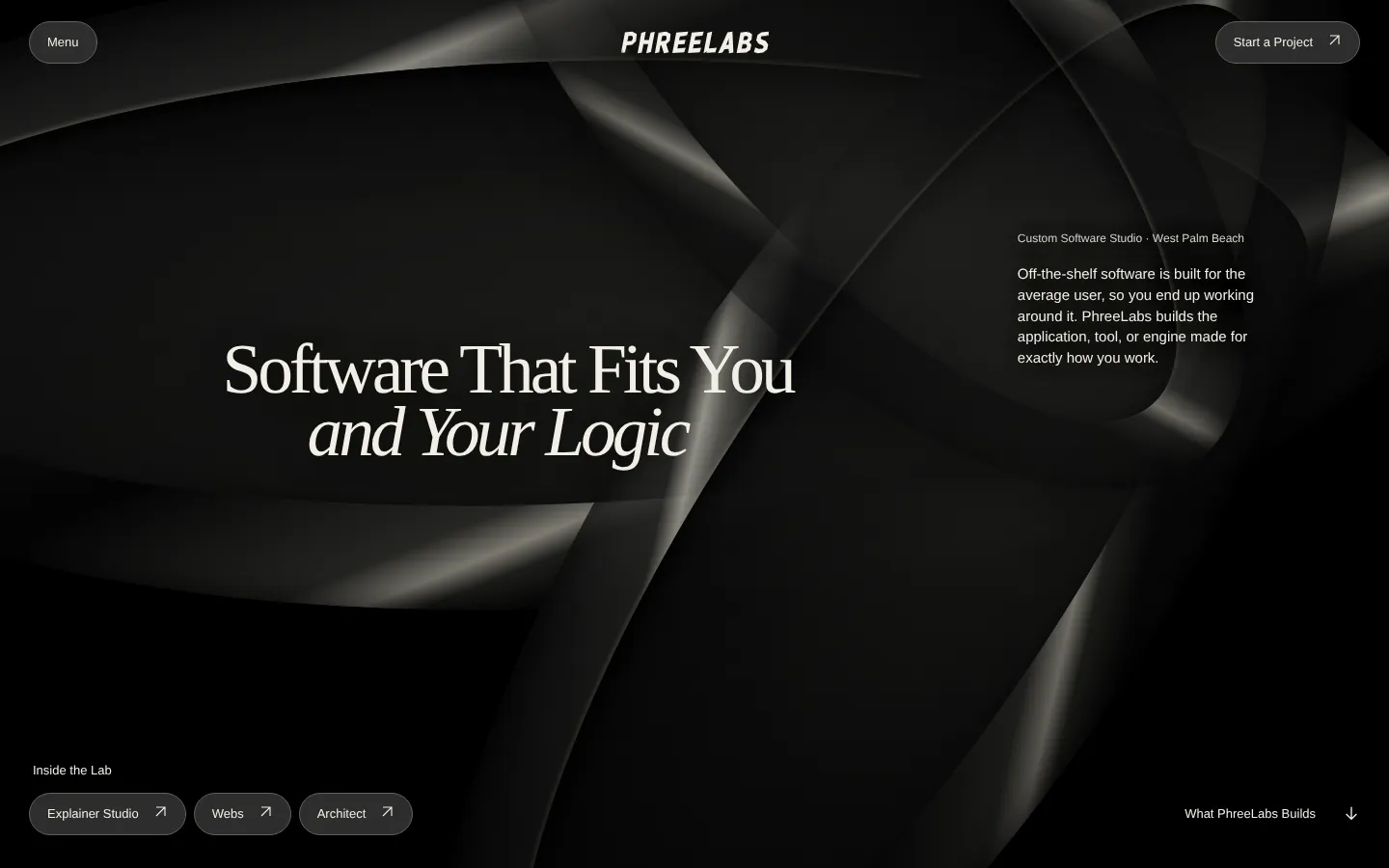
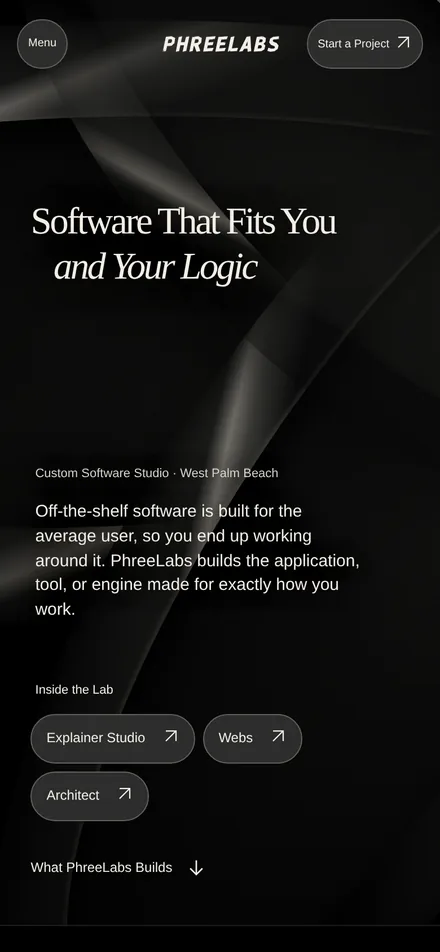
phreelabs.com home page · Historical snapshots, 2 November 2026. The site has since expanded.
| Measure | Result | Context |
|---|---|---|
| Pages and addresses | 13 indexable pages at the time, each at a clean address such as /services | 2 November 2026 snapshot. Plain HTML, CSS, and JavaScript with no framework |
| Screen sizes | No sideways scrolling on any page at phone, tablet, and desktop widths | Automated browser checks at 390, 768, and 1440 pixels wide, 2 November 2026 |
| Motion | The intro and scroll animations stop for the Pause Motion button and for the device’s Reduce Motion setting | Same checks; the Pause Motion choice is remembered in the browser |
| Navigation | A skip link, a menu that works by keyboard and touch, the current page marked, and every page linked from the footer | Same checks |
| Search basics | A unique title, description, and canonical address on all 13 pages; structured data for the studio, each service, and breadcrumbs; a sitemap and a robots file | Release check, 2 November 2026 |
| Inquiry form | Sends inquiries to the PhreeLabs inbox through FormSubmit; if a send fails, it offers the visitor’s own email app instead | Activated 2 November 2026, when a test inquiry reached the inbox |
You’re on it now: open the home page or the inquiry form on your phone and your computer to see it for yourself.
04 How It Works
- 01
Written Brief
Send what the site needs to do, who it’s for, and the pages you have in mind. The whole project runs in writing, by email or written messages: no calls or meetings are needed, and every decision stays on record.
- 02
Written Plan and Fixed Quote
The pages, the content you’ll supply, features such as the inquiry form, and the price. Work starts only when you approve it.
- 03
Build and Review
A short written update every week, with a version you can try whenever there’s something new to see.
- 04
Launch and Handoff
The site is published to the hosting agreed in the plan, and you receive everything listed under What You Receive.
05 Search, Without Promises
Every page gets a clear title, a description, a canonical address, and structured data where it applies, and the site gets a sitemap, so search engines can read it properly. Rankings and traffic depend on things outside the build, such as competition and how long a site has been online, so they aren’t promised.
Purpose and Value Build Around the Buying Decision
The page structure should follow what your customer needs to understand: who the offer serves, what it helps them do, why the evidence is relevant, what they would commission, and how to begin.
- First Release
- Agree on the offer, audience, content, page structure, inquiry route, and required functions. Existing brand assets and material worth keeping inform the design.
- Acceptance
- Check the important visitor paths on phone and desktop, the keyboard route, motion preferences, links, and form behavior. Search metadata and launch dependencies belong in the plan.
- After Launch
- If measurement is in scope, define a useful signal such as completed qualified inquiries. Traffic and visual polish alone do not establish a commercial return.
06 What You Receive
The finished website, its source files, instructions for publishing and updating it, and a list of the services it depends on, such as hosting and the form service.
Bugs in what was delivered are fixed free for 30 days after handoff. Ongoing support and new features are quoted separately.
07 Send to Begin
- What the site needs to do, and who it’s for
- The pages you have in mind, and any text or images you already have
- Sites you like, and what you like about them
- Your current site and domain, if you have them
- Budget and timeline, if you have them